• Home
  • Suggest A DIY
  • DIY Newsletter

Scrap Booking

Themes, layouts and inspirations

  • About CraftGossip
  • Our Network
    • Bath & Body Crafts
    • Candle Making Ideas
    • Crochet Ideas
    • Cross Stitch
    • Edible Crafts
    • Felting Patterns
    • Glass Art
    • Home & Garden Ideas
    • Indie Crafts
    • Jewelry Making
    • Kids Crafts
    • Knitting Patterns
    • Lesson Plans
    • Needlework
    • Party Ideas
    • Polymer Clay
    • Quilting Ideas
    • Recycled Crafts
    • Scrapbooking
    • Sewing Patterns
    • Card Making
    • DIY Weddings
    • Not Craft Ideas
  • Giveaways
  • Roundups
  • Store
  • Search

Product Review | Epson Artisan 1430 Printer Part 2

June 22, 2012 by Francine Clouden

Today I am continuing my review series by showing you some of the projects I have printed out using the Epson Artisan 1430 Wide Format printer. To see the first part in the series click here.

First here is a scrapbook page using photos that I printed on the printer. I printed out one 4×6 photo and four wallet photos using the on Epson Premium Photo Paper. To print the wallets I used the Windows Print wizard and a sheet of letter sized photo paper.
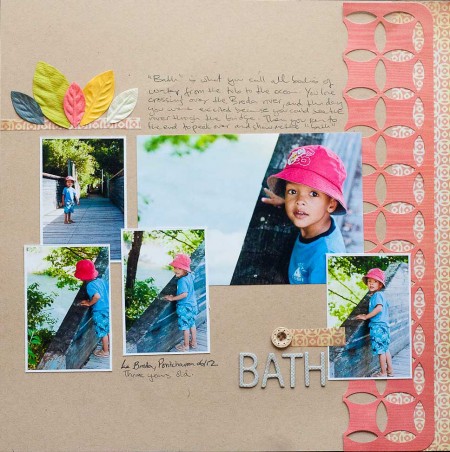
The colours in the photos were lovely and vibrant.

Next I tried printing out a photo onto a letter sized sheet of Epson premium photo paper. I wasn’t disappointed, in fact my response to seeing it was “Wow!”
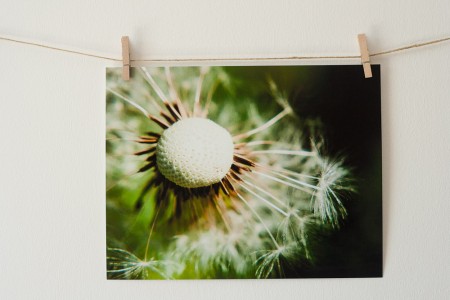
I think I know how I will be decorating my walls now!

Finally I printed out two digital scrapbooking pages on the Epson PremierArt Scrapbook Photo Paper Matte. This is the only point that I ran into a snag, as in the dropdown menu for paper type, this kind of paper didn’t show up. Instead I used the UltraPremium Presentation Matte Paper setting. It seemed to work, I am quite happy with the prints. The 12×12 paper has a smooth side and a textured side. I used the textured side for this layout:
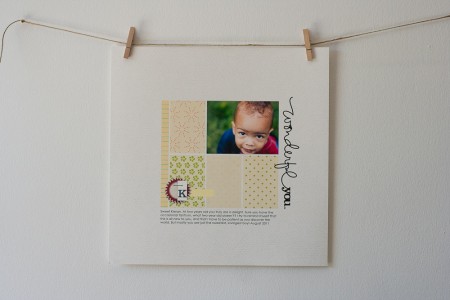
And the smooth side for this one:
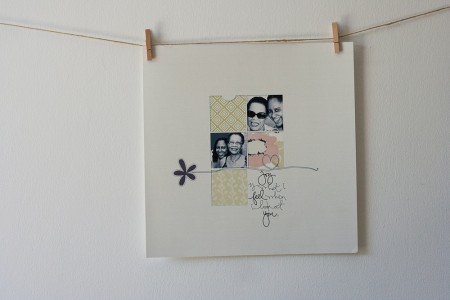
Both produced lovely prints. Yet another way to add some art to my walls, not to mention a nice gift for family.

To date I am still very happy with this printer, it’s definitely the best one I have ever owned. In the next post I’ll look at all the other types of projects you can use it for. If you have any questions you’d like me to address just let me know in the comments!
 

«
»

Comments

  1. Josanne says

    June 27, 2012 at 9:06 am

    Do you think it can be used to print on handmade paper?

  2. Francine Clouden says

    June 29, 2012 at 1:41 am

    Hi Joanne,

    I think it would depend on the thickness and absorbancy of the paper. I know that Epson recommends only using their papers in the printer, and I suspect that if there was a problem with handmade paper it would void the warranty.

    Thanks for commenting!
    Francine

  3. Rhonda says

    August 28, 2012 at 4:14 pm

    Great review! I have been researching printers and have pretty much narrowed it down to this Epson model. Did you do more articles featuring other projects using this printer? I tried to look search the site but did not find any. Are you still pleased with it? Have you tried cutting cardstock? If so, how did it do? I plan to use it along with my Gazelle die cutter. Thank you!

  4. Kerry says

    July 25, 2013 at 7:42 pm

    Hi
    D you think this printer would print card stock such as stampin up coloured cardstock OK? I seem to find conflicting opinions of this on the web
    Thanks
    Kerry

  5. Francine Clouden says

    July 27, 2013 at 9:48 am

    Hi Kerry, I have used it to print on Bazzill Basics Cardstock with no issues. Hope that helps somewhat.

  6. Marisela says

    January 25, 2015 at 10:45 am

    Hi there
    Does it use pigment ink or dye based ink?

  7. Lava says

    January 11, 2017 at 3:37 am

    Late commenter here… but are you able to advise how it prints text? Is it blurry or grainy? I’m a graphic artist and need it more for graphics and text rather than photos. Any advice would be helpful. How do you feel about it now, 3 years down the track?

  8. Francine Clouden says

    January 11, 2017 at 9:33 am

    Hi Lava, I still absolutely LOVE this printer all these years later. I use it for everything, text, photos and printing out graphics (I make all sorts of printables for scrapbooking). It’s also pretty good on ink usage, I replace the cartridges every 10 to 12 months or so. Hope that helps!

  9. Lava says

    January 11, 2017 at 2:19 pm

    Wow thanks for such a quick reply!! That’s great news 🙂 Hope it keeps going well for you.

Have you read?

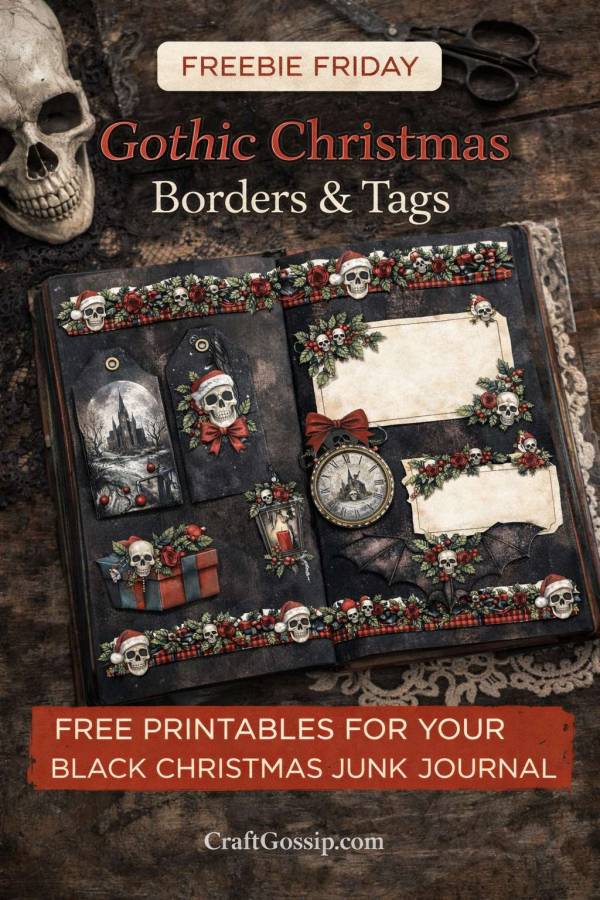
Freebie Friday – Gothic Christmas Borders and Tags Printable Set

Well… this one is not your sweet little red-and-green Hallmark Christmas.

This week’s Freebie Friday is for those of us who love our holiday season with a little drama, a little mystery, and just a whisper of the macabre. If your idea of festive includes deep reds, inky blacks, antique gold, and a touch of Victorian gloom — you’re going to love this printable set.

Our Gothic Christmas Borders and Tags are designed for junk journals, dark December dailies, alternative holiday scrapbooks, and beautifully moody gift wrapping.

Think candlelight. Old churches. Velvet ribbons. Snow falling outside a gothic window.

Yes please.

What’s Included in This Printable Set

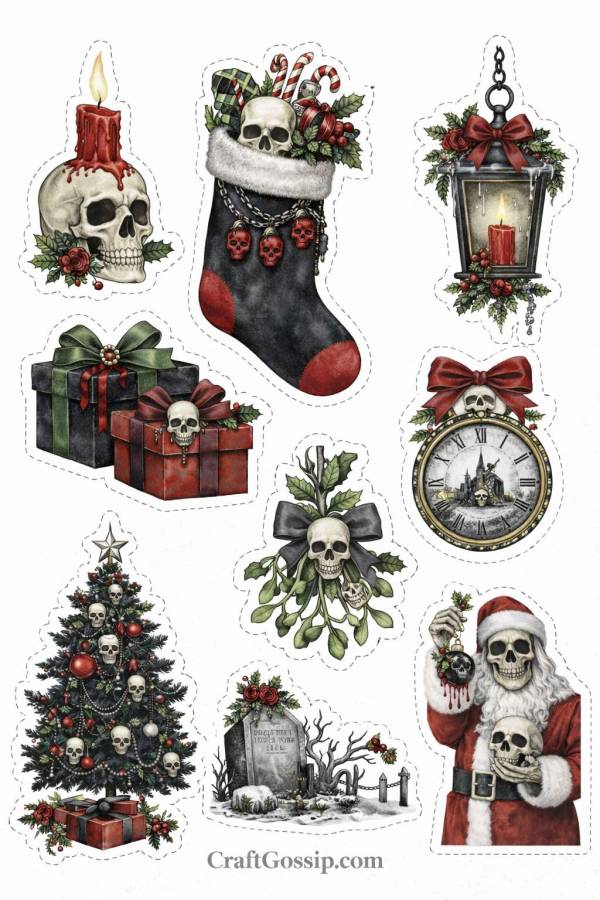
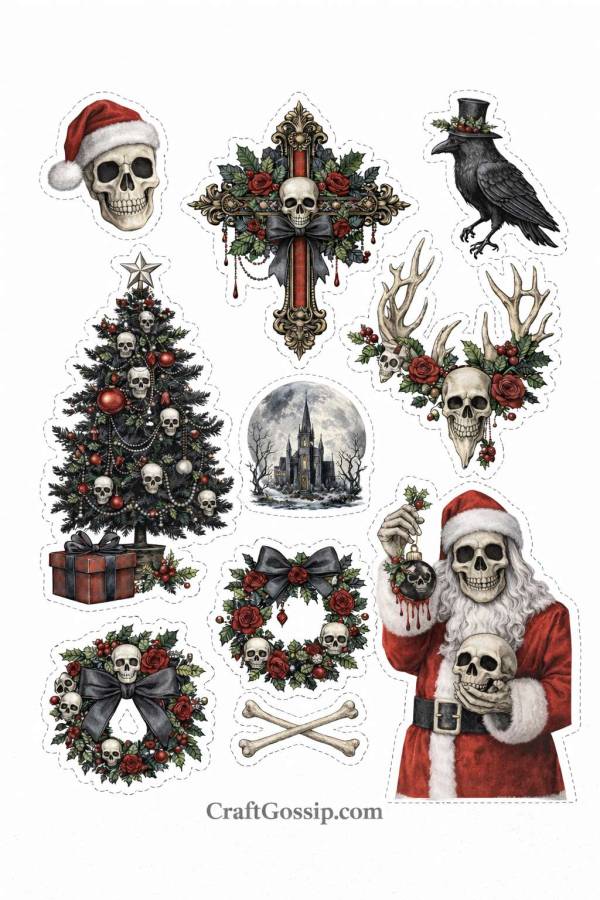
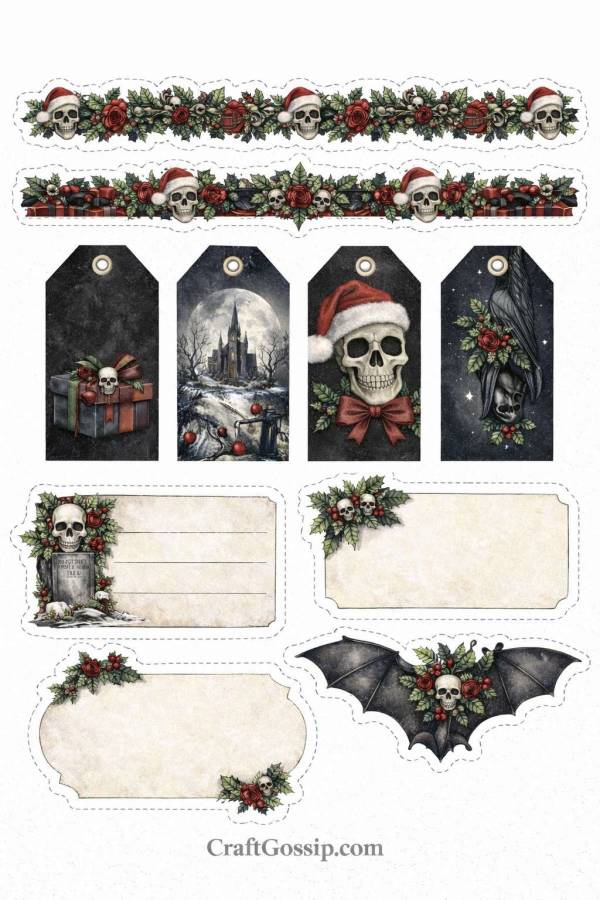
This A4 printable sheet features a collection of richly detailed gothic-inspired Christmas elements, including:

  • Long decorative borders with skulls, holly, and red roses
    • Victorian-style Christmas tags with moody backgrounds
    • Ornate gothic label frames
    • Dark botanical accents with holly and berries
    • Skull and rose embellishments
    • Elegant bat-wing and wreath-style designs
    • Clean white background for printer-friendly results
    • Easy-to-cut outlines around each element

The colors are rich but balanced for home inkjet printing — deep reds, muted greens, charcoal black, antique ivory, and touches of aged gold.

Everything is spaced generously so you can cut comfortably without battling tiny intricate edges.

Why Gothic Christmas Works So Beautifully in Junk Journals

Gothic Christmas has such a strong aesthetic presence. It instantly creates atmosphere.

These printable borders and tags add:

  • Dramatic focal points
    • Dark romantic layers
    • Seasonal storytelling
    • A cohesive alternative Christmas theme
    • Beautiful contrast against neutral journal pages

They pair especially well with tea-dyed papers, lace, aged script, black cardstock, and wax seals.

Creative Ways to Use These Gothic Christmas Printables

Let’s talk practical ideas, because these are far more versatile than they first appear.

December Daily with a Dark Twist

Use the borders across the top of your pages. Tuck tags into pockets. Layer skull wreaths behind journaling spots for a moody holiday look.

Alternative Gift Tags

Print the tags on cardstock and attach to wrapped presents with black velvet ribbon or twine. They make even simple kraft paper look stunning.

Junk Journal Pockets

Glue borders along the bottom edge of a page to create decorative pockets. Slide in handwritten notes, recipes, or holiday memories.

Scrapbook Layering

The gothic frames make perfect journaling spots. Add dates, quotes, or even vintage-style Christmas wishes inside the blank spaces.

Card Making

Trim down a border strip and use it as a decorative band across a handmade Christmas card.

Printing Tips for Best Results

To keep your printable looking crisp and rich:

  • Print at 100% scale
    • Use matte cardstock for tags
    • Choose high-quality print settings
    • Allow ink to dry before cutting

If you want an even deeper antique feel, lightly ink the edges with dark brown or charcoal ink.

Who This Set Is Perfect For

This Gothic Christmas printable collection is ideal if you:

  • Love alternative holiday decor
    • Create dark aesthetic junk journals
    • Enjoy Victorian-inspired crafts
    • Want unique Christmas tags
    • Are building a themed December daily
    • Prefer moody over merry

It’s festive… but make it gothic.

Build Your Gothic Christmas Collection

Pair these borders and tags with:

  • Gothic Christmas ephemera sheets
    • Skull wreath printable cutouts
    • Dark holiday journaling cards
    • Vintage church scene printables
    • Black lace accents

Layer them together to create a cohesive Gothic Christmas junk journal series that feels intentional and beautifully dramatic.

Download Your Free Gothic Christmas Borders & Tags

You can print this sheet as many times as you like for personal use. Cut them out during a cozy evening crafting session and build pages that feel rich, layered, and just a little bit mysterious.

Freebie Friday is about giving you creative pieces that spark something different — and this week, we’re embracing the darker side of December.

Explore

backgrounds Christmas Crafts Design Theory die cutting embellishments family Freebies Free Printables Holidays Inspiration - Layout Ideas Journaling News Paper Crafts Scrapbooking Themes Scrapbook Titles Techniques Tips and Tricks Tutorials Tutorials & Ideas

RSS feed: More Articles More Articles

  • Christmas Corners Napkin Embroidery Patches – Etsy Review
  • DIY Scrub Daddy Gift Basket With Printable Cleaner Recipes and Funny Tags
  • Cocktail Jiggers With Built-In Recipes for Easy Christmas Drinks
  • Book Review – Urban Quilting
  • Freebie Friday – Gothic Christmas Borders and Tags Printable Set
  • Free Christmas Berry Branch Table Runner Embroidery Pattern Review
  • Free Felting Tutorial Friday: Nuno Felt Pillow
  • Free Christmas Tree Bauble Knitting Pattern: An Easy Ornament Knitted Flat
  • 8 No-Cook Keto Lunches for Days When the Stove Can Wait
  • Scandinavian Christmas Winter Lantern Review – A Beautiful Dollar Tree Craft with Cozy Nordic Charm

Copyright © 2026 · CraftGossip | Start Here | Contact Us | Link to Us | Your Editors | Privacy and affiliate policy