
Abby Glassenberg from While She Naps, shares this tutorial showing how to selectively color a digital photograph using the online toolPicMonkey . No special software is needed! Click here to see all the steps.
Themes, layouts and inspirations
Abby Glassenberg from While She Naps, shares this tutorial showing how to selectively color a digital photograph using the online toolPicMonkey . No special software is needed! Click here to see all the steps.
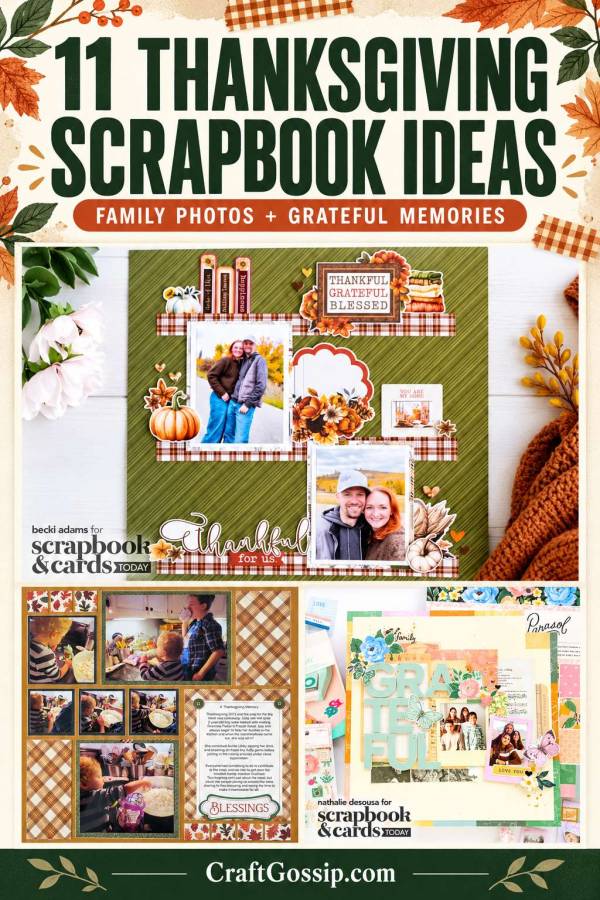
Some of the best Thanksgiving memories happen before anyone sits down to eat. Someone is guarding the oven, the grandchildren are sneaking something from the kitchen, and there’s usually one family member who insists the table needs just one more dish.
Those are the moments worth saving, along with the lovely group photograph you finally managed after several attempts.
These Thanksgiving scrapbook layout ideas bring together family photographs, autumn colours and meaningful journaling. There are designs for several small pictures, pages that let one memory shine, and clever pockets for keeping the stories that won’t fit beside a photograph.
You don’t need an entirely new collection of seasonal supplies, either. A few coordinating papers, cream cardstock and some carefully chosen embellishments can do plenty of work. That paper stash has been waiting for its moment.
If you’re returning to scrapbooking after a break, our guide to making a basic scrapbook page will help you get the photographs, layers and journaling working together.
Before choosing your paper, decide what the page is about. “Thanksgiving” is a theme, but “the year Grandma taught the grandchildren to make her stuffing” gives you a story.
Pull together photographs that support that memory, then leave room for the details:
For supplies, start with cardstock, patterned paper, photo-safe adhesive, a paper trimmer or scissors, and a journaling pen. Foam adhesive, leaf punches and alphabet stickers are useful extras, but you can adapt plenty of these ideas with basic tools.
The suggestions below include ways to make each approach your own. Follow the original creator’s link for their project photographs and any instructions they provide.
Becki Adams’ Thanksgiving page uses a green patterned background and a plaid strip to anchor two photographs, with seasonal embellishments adding that welcoming, gathered-at-home feeling.
What I like about this approach is how naturally it suits photographs of people. The horizontal arrangement gives the page structure without making everything feel rigid.
Try this: Arrange two photographs along a paper strip, then add a small cluster of pumpkins, flowers or hearts. Write a few lines about the people pictured and what you appreciate about your time together.
See Becki’s Thanksgiving layout at Scrapbook & Cards Today.
Nathalie DeSousa’s gratitude layout shows how a substantial title can bring a page together. Her layered die-cut letters create dimension, while framed photographs and diagonal embellishment clusters balance the design.
This is a lovely direction when you want your page to express a feeling as well as record an event.
Try this: Choose a short title such as “Thankful,” “Our People” or “Together.” If you don’t have alphabet dies, use large stickers or hand-cut letters. Keep nearby patterns fairly quiet so the title remains easy to read.
Explore Nathalie’s gratitude layout and layered-letter technique.
Patty McGovern-Pugh’s autumn layouts demonstrate how beautifully black-and-white photographs work with warm seasonal colours.
This combination is particularly useful when everyone’s clothing clashes, the kitchen lighting is rather yellow, or your photographs come from several different cameras. Converting selected images to black and white can help them sit comfortably together.
Try this: Use cream, rust and muted gold papers with a black-and-white family portrait. Keep an unedited copy of the original photograph, and use your journaling to identify everyone pictured.
Browse Patty’s autumn family layouts at My Creative Scrapbook.
Nicole’s “Gather Together” album combines photographs, journaling cards and embellished pockets. It’s a useful example of how smaller sections can build a satisfying seasonal album.
Pocket pages give each photograph or note its own space. That makes them especially helpful when you have several moments to include and don’t want to design a separate full-sized page for each one.
Try this: Alternate photographs with cards recording favourite dishes, family sayings and things you’re grateful for. Check your page protector’s pocket sizes before printing or trimming anything.
Look through Nicole’s Gather Together album at Simple Stories.
Thanksgiving memory keeping can include the slower parts of the season, too. Nathalie DeSousa’s Cocoa Daisy notebook spread uses layered washi sheets, a photograph and journaling to document autumn days.
A notebook offers a smaller space to fill, which can make starting feel much more manageable.
Try this: Choose a photograph from an autumn walk, an afternoon spent baking or a quiet visit with someone you love. Use narrow paper strips in place of washi sheets if that’s what you have.
Find Nathalie’s autumn notebook inspiration at Cocoa Daisy.
Traci Penrod’s Family Traditions collection includes a page with space for eight small photographs. Seasonal embellishments gather across the centre, giving the pictures a shared theme.
This is a practical choice when you’ve taken lots of little snapshots: the table, the cooking, the cousins, the pie and the dog waiting hopefully beneath someone’s chair.
Try this: Select a mixture of people and details rather than eight nearly identical group shots. Lay everything out before attaching it so you can check spacing and balance.
View Traci’s Family Traditions scrapbook pages at Artsy Albums. The original kit is listed as sold out, with instructions offered separately for purchase.
Nathalie DeSousa’s 6×8 gratitude layout includes a vellum pocket with a removable journaling insert. It provides room for a longer message while keeping the overall spread uncluttered.
I like this for memories that need more than a sentence or two. Sometimes there’s a whole story behind that smiling photograph.
Try this: Write a letter to the person pictured or describe something they did that made a difference to your year. Leave the insert easy to remove, and position adhesive where it will be least noticeable through the vellum.
See the interactive Thankful for You album layout at LDRS Creative.
Andrea Fisher’s Thanksgiving layout brings together food preparation photographs, family storytelling and a pocket holding a recipe.
This is such a meaningful way to document a holiday. A picture of someone stirring a bowl becomes much more interesting when the page explains whose recipe it is and why your family makes it.
Try this: Include a scan of a handwritten recipe, then add any changes your family makes today. Keep treasured originals stored separately if you’re concerned about handling or damage.
Explore Andrea’s Thanksgiving recipe-pocket layout at Mosaic Moments.
Karyn McDermaid-Rolfe’s Thanksgiving layout features paper-pieced turkeys and includes a downloadable instruction handout.
A cheerful turkey suits photographs of grandchildren, family activities and the more playful side of the holiday. It also gives you a reason to use those small pieces of patterned paper you’ve been keeping.
Try this: If you don’t own the featured punches, experiment with hand-cut circles and rounded feather shapes for your own turkey embellishment. Karyn notes that some original supplies are discontinued, so check before planning an exact reproduction.
Visit Karyn’s Thanksgiving turkey scrapbook layout.
Brenda Rose’s Grateful Harvest design uses horizontal paper strips and three photo mats. The original instructions accommodate two landscape 6×4 photographs and one portrait 4×6 photograph.
That mix of orientations is handy when your favourite pictures weren’t all taken the same way round. The repeated strips help the page feel coordinated.
Try this: Use a group photograph alongside two smaller stories from the day, such as serving dinner and sharing dessert. Choose a limited colour palette if you’re mixing papers from different collections.
Find Brenda’s autumn scrapbook layout and cutting instructions at Creative Memories.
Mosaic Moments’ “Beginning with Gratitude” article explores several approaches to putting meaningful words into a layout, including tiled journaling, illustrated words and faith-based reflections.
This is useful inspiration when you have plenty to say but only a few photographs. Your words can carry an important part of the page.
Try this: Create four small journaling blocks, each naming something you appreciate and explaining why. Add one photograph to connect those thoughts to the people or place you’re remembering.
Explore the gratitude journaling layout ideas at Mosaic Moments.
If the pen is hovering and nothing is happening, start with one of these:
Specific details make these pages personal. “Thankful for family” is a starting point. A sentence about your grandson carefully setting every place at the table tells us much more.
Before buying another autumn paper collection, pull out what’s already in your stash. Woodgrain, gingham, florals, plain cardstock and small geometric prints can work together beautifully.
Choose two or three main colours and repeat them across the page. Use a quiet background beneath busy photographs, and save some clear space for the writing.
If your photographs include pumpkin picking or another seasonal outing, our pumpkin patch scrapbook layout ideas offer more ways to document those memories.
You can also borrow the pocket-and-keepsake approach from junk journaling with supplies you already have. For pages containing treasured photographs, use photo-safe materials and consider scanned copies of recipes, notes or other keepsakes.
Start with the photograph that makes you stop and smile. Add the names, the date and a few lines about what happened. You can decide where the little paper pumpkin belongs afterwards.
Years from now, those words will help someone understand why that ordinary-looking afternoon mattered.
Hi,
Thank you so much for posting my PicMonkey tutorial! I’m really glad you like it. You’ve spelled my name incorrectly here, though. Could you please fix it? Thank you so much!
-Abby Glassenberg
Hi Abby, I am so sorry! I will fix it immediately. Thanks for letting me know.
Francine
No problem! Thank you!